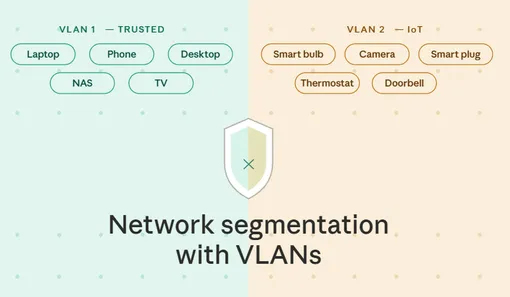
IoT network setup on openWRT router
In the beginning I had just a single subnet with all devices in it. When number of devices started growing, I started worrying about security and decided to split my home network into trusted subnet and untrusted/IoT subnet.
My setup before VLANs implementation
I have following devices/servers in my network:
- Flint 2 (gl-mt6000) router with OpenWrt firmware
- My personal devices: laptops, phones, etc., connected to 5 GHz wifi
- Home server: NAS, Home Assistant, connected to a physical router port
- Projector, connected over wifi
- Zigbee z2m coordinator, connected to a physical router port
- Bunch of IoT devices: smart vacuum, washing machine, projector lid opener, etc
Idea is was to keep My personal devices and NAS on subnet 1 (trusted), while all other devices will be on a subnet 2 (untrusted/IoT). Access from trusted network should be allowed to untrusted, but should be restricted on vice versa). Both subnets should have access to Internet/WAN. I don’t want to compicate things more with splitting IoT devices with Internet connection and without.
VLANs implementation
Steps are as follows:
-
For the default bridge, which connects ports 1-5, I enabled VLAN filtering and configured as follows:
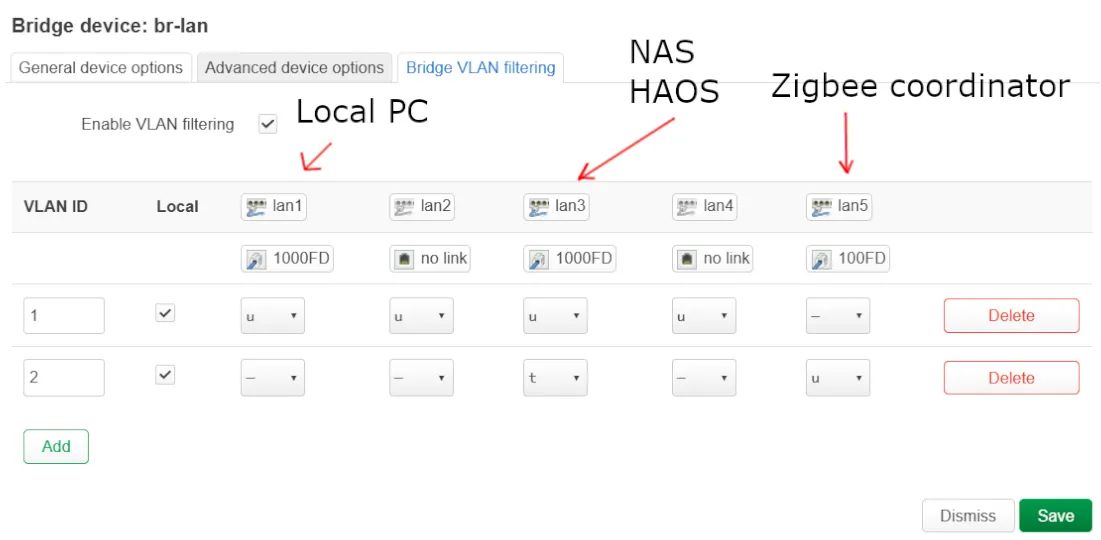
This means that all untagget traffic from lan ports 1-4 goes to the VLAN 1. On Lan3 port I have NAS with Home Assistant VM running - I want to have my NAS in the trusted network (VLAN 1) and Home Assistant to be in the untrusted network (VLAN 2) - that’s why I’m forwarding untagged traffic to VLAN 1 and tagged traffic to VLAN 2, it requires additional setup of network interfaces in the NAS, see below.
On the port 5 I have a Zigbee Z2M dongle - it’s used to communicate with IoT devices. I simply forward all untagged traffic to subnet 2. -
Interfaces tab:
- deleted default LAN
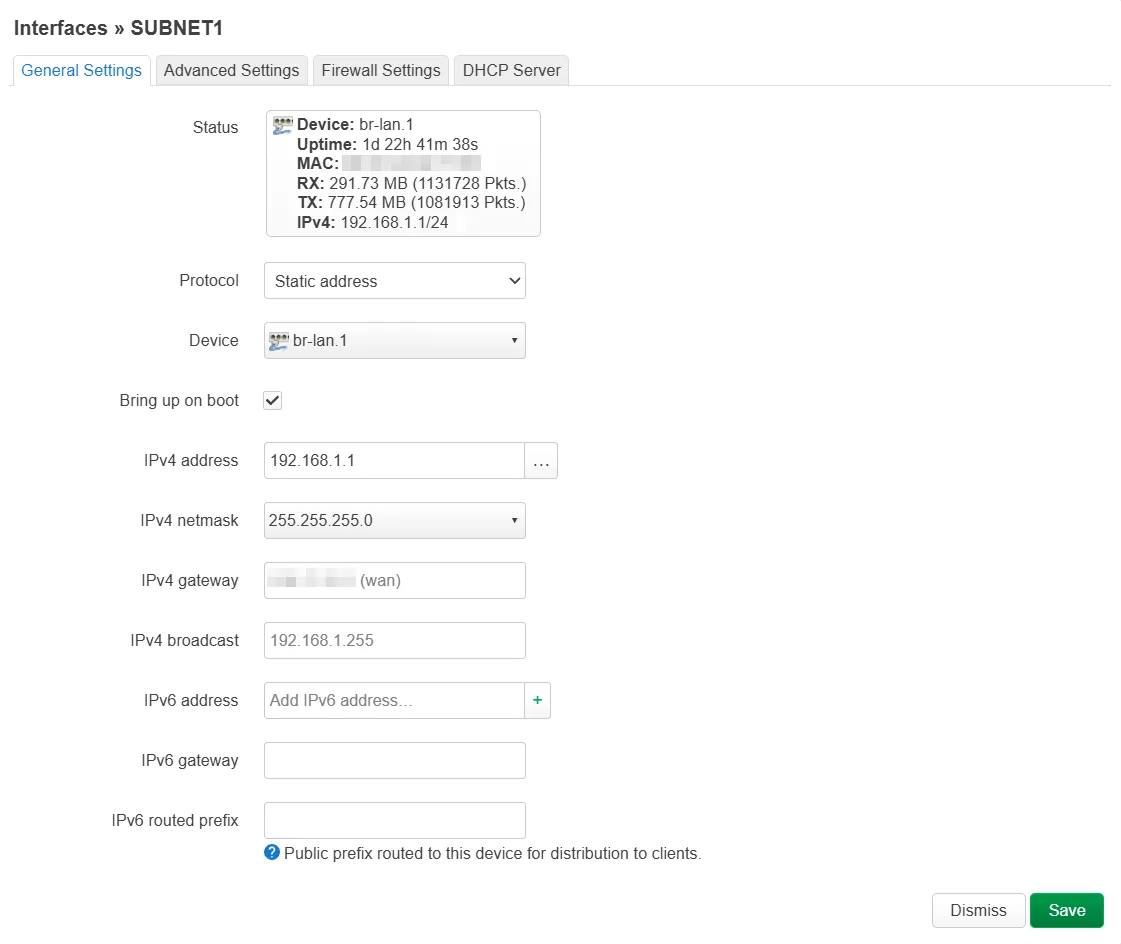
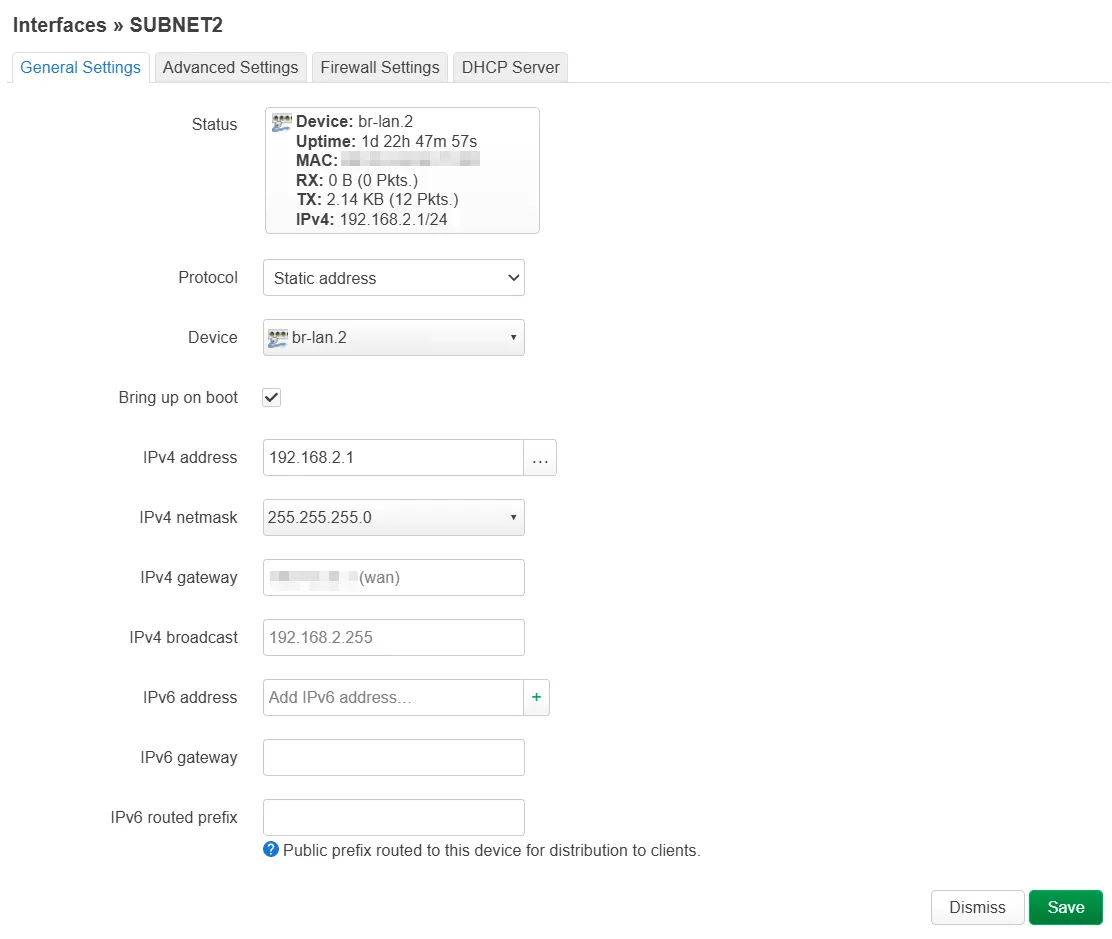
- added subnet 1 and subnet 2, static address, with enabled firewall and DHCP:
-
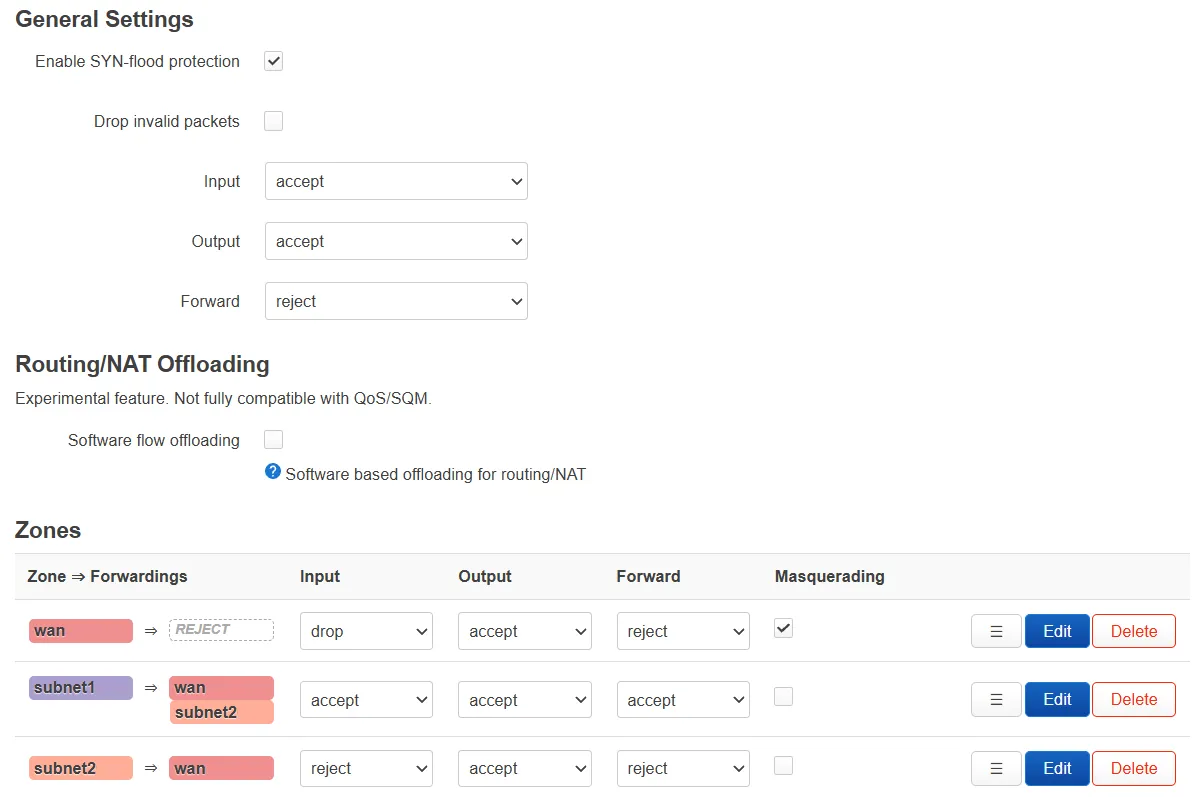
Firewall rules:
- Internet access allowed from both subnets
- traffic from subnet 1 to subnet 2 is allowed
- traffic from subnet 2 to subnet 1 is not allowed. Since router is on subnet 1, IoT devices from subnet 2 won’t be able to access router
- on traffic rules there is an exception needed to allow dns and dhcp on subnet 2, on ports 53, 67, 68

-
Wifi setup:
- I don’t need 2.4 GHz Wifi network for my personal devices, so I created 2 wireless networks:
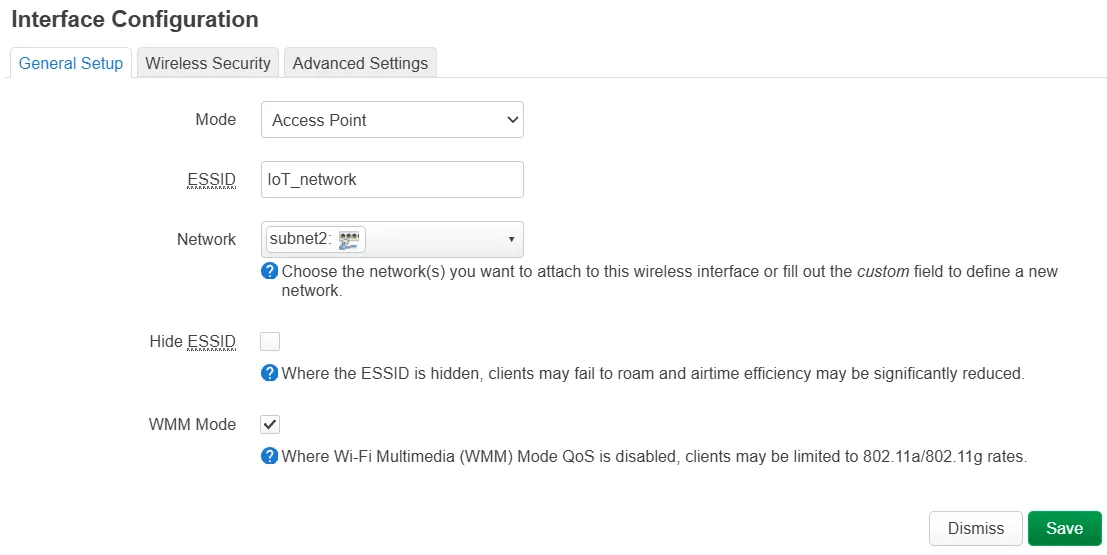
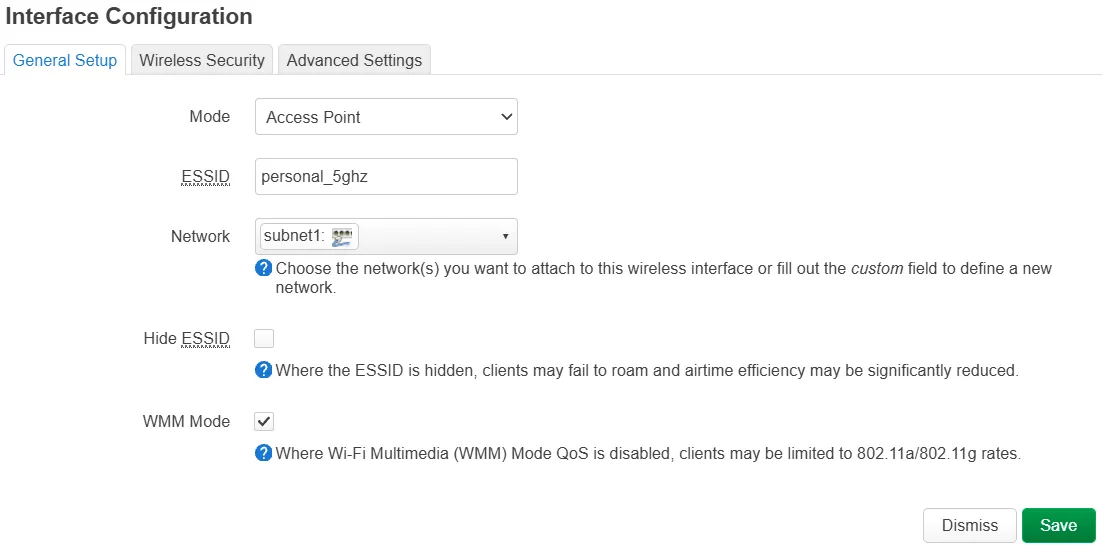
Note: it probably won’t work out of the box after these changes. There is
ifnameoption which is not populated when you create a wifi network through LuCi interface. I have no idea if it’s a bug in the UI or what, but I lost a lot of time troubleshooting before I found this youtube video. You need to open ssh connection to the router and edit/etc/config/wireless. For the 2.4 GHz network addifname ra0, for 5GHz -ifname rax0.Save file and reboot the router.
Now when you connect to 2.4 GHz wifi - you’ll get ip address in 192.168.1.x range and when connected to 5 GHz you’ll get ip in 192.168.2.x range.
Important notes
- Once you configure VLANs, the default Gl-Inet interface won’t show you clients anymore. You’ll need to open LuCi main page (overview) to see connected clients and their hostnames.
- On the Gl-inet interface in wifi section I have a duplication of my 5GHz network. Could be UI bug?
- Once I did this, I lost my TV when I was trying to share video from my phone. This is caused because mDNS traffic is not shared among VLANs and this could be solved by installing avahi daemon. As alternative I can connect to 2.4 GHz network from the phone to share youtube videos.
NAS and Home Assistant server setup
I have a home server which runs TrueNas OS. And I have a VM there running Home Assistant.
My idea was to have NAS on my subnet 1 and HA on subnet 2. As I mentioned earlier in VLAN creation, my server is connected to port 3 of the router, and I configured untagged traffic from server go to VLAN 1 and tagged traffic - go to vlan 2. I created:
vlan2interface: VLAN tag: 2, parent interface: enp2s0 (main interface), static IP. Although I selected static IP, I didn’t specify it, because it’s done on Home Assistant VMbr1bridge interface: also static IP which is not filled in, in bridge members I selected onlyvlan2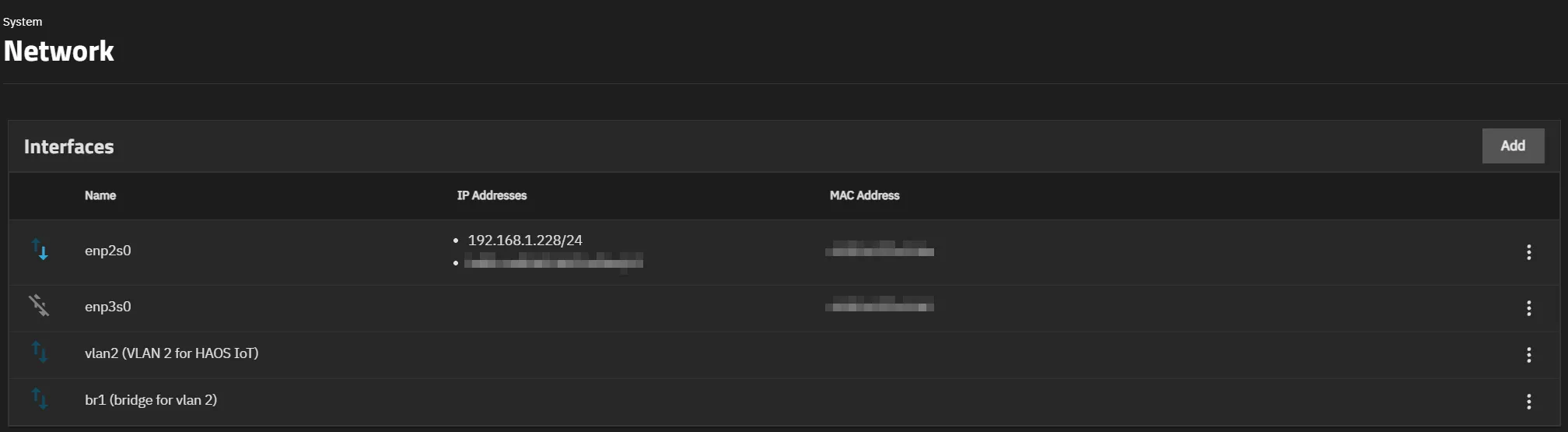
That’s it. After that I created Home Assistant VM (there is a simple youtube walkthrough), it automatically got IP address in the subnet 2.